

LE CIEL JOURNAL · FOR PROPERTY OWNERS
A guest standing at the right door should feel that the journey is almost over. A smart lock can make that moment simple, but only when the access arrangements work as carefully as the device. A useful smart lock backup plan begins with the question: who can help if this particular way of entering fails?
Start with the actual door, the installed model and the people responsible for it. A keypad, phone app and remote unlock button may share dependencies. Three buttons in an app do not necessarily provide three independent ways inside. Confirm the details before describing an arrival as effortless.
Choose a smart lock backup plan around the door
Ask a qualified installer to confirm compatibility with the door, cylinder, latch and any building requirements. Check permissions before changing shared or controlled hardware. Confirm how occupants leave from inside and ask the appropriate professional to assess any escape or fire-door implications. Do not alter a door assembly simply because a lock appears to fit.
Deal with friction before adding automation
A door that needs lifting or a latch that catches already has a maintenance problem. Ask for an assessment and a proper repair. Do not teach guests to force the handle or use the motor to overcome poor alignment. Include the door in your routine rental maintenance checks and record whether the completed repair was tested.
Separate the failures that need different responses
Write a short dependency list for your exact installation. Identify the power source for the lock, any separate keypad batteries, the local connection and the internet connection used for remote management. Read the current manual rather than assuming every smart lock behaves alike.
An internet outage is not a flat battery
Nuki’s remote-access guidance distinguishes nearby Bluetooth operation from internet-connected remote management. That is a product example, not a rule for all locks. Confirm which already-created credentials work locally on your model and which tasks require a connection. Test before the guest arrives, with someone able to keep the door accessible.
For a separate example, Yale’s Smart Keypad troubleshooting guidance explains that remotely creating codes requires a suitable Wi-Fi connection; without it, code creation requires a nearby Bluetooth connection. A working old code does not prove that a new code has reached the lock.
An exhausted lock needs another route
Nuki’s depleted-battery guidance describes loss of app commands and a physical-key alternative, with an emergency-function cylinder requirement. Your installation may differ. Have the installer demonstrate the approved fallback on the actual door. Never assume that a visible keyhole, external-power terminal or accessory guarantees entry.
If the mechanism itself fails
A spare electronic credential may not help a jammed latch or damaged door. Keep a qualified local contact and agree who authorises attendance. The response plan needs a person who can act, not only an owner who can see an alert from another city.
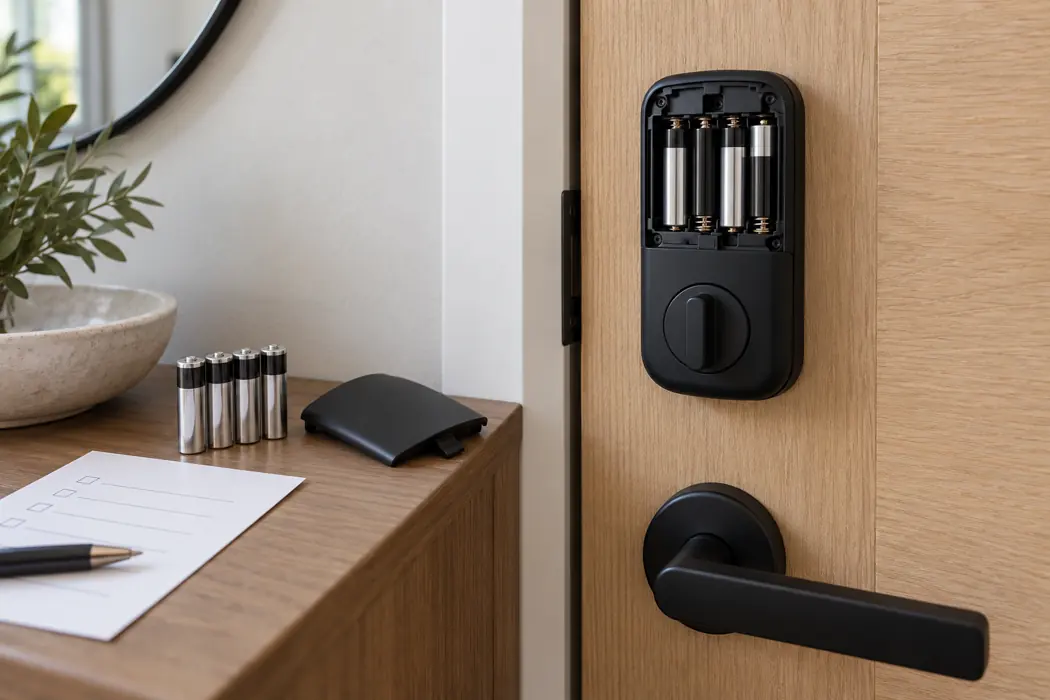
Give the fallback a custodian and a tested route
If a mechanical key is part of the approved arrangement, decide who holds it and how an authorised responder obtains it. Keep it secure and accessible to that person when needed. A spare locked inside the property cannot solve an outside lockout. Avoid leaving keys in predictable, unsecured hiding places.
Make the handover explicit
Record the primary contact, deputy, approved route to assistance and responsibility for any charges that need agreement. Confirm the arrangements with the relevant people. Do not promise round-the-clock attendance or a fixed arrival time unless a service has actually committed to it.
Manage each stay’s access deliberately
Use separate, time-limited guest credentials where the system supports them. Check the property’s time zone and activation window against the confirmed reservation. Verify that the credential has synchronised, then test it without exposing it in public messages or listing photographs. Keep staff access separate from guest access.
When plans change, update the authorised window and confirm the change. After departure, verify that guest access has ended and remove unnecessary permissions. Use supported account security features, restrict administrative access and keep recovery arrangements current. Treat access records as operational information; limit access and retain only what your approved policy requires.
Keep guest instructions short and the team checklist precise
Send the building route, door identification, approved entry steps, how to secure the door and the contact for help through the agreed private channel. Offer an appropriate alternative for guests who cannot use the proposed method. Do not make a smartphone app an undisclosed condition of arrival.
Before the next arrival
- Check door movement and the lock’s reported power status.
- Confirm the new credential and its activation window.
- Check any separate keypad and the approved fallback.
- Confirm who will respond and that they have the necessary access.
Assign battery checks and replacements to a named role. Follow the manufacturer’s battery or charging instructions and record the action. Arrange supported updates and testing during a suitable vacant period. A smart lock backup plan should be reviewed after an incident, installation change or staff handover. Discuss practical property operations with Le Ciel to confirm responsibilities and suitable arrangements individually.

